An internet gateway is the door between a private network and the internet. A router is the traffic guide inside the network. Sometimes one box does both jobs. That is why the names get messy.
TLDR: An internet gateway connects a local network to the public internet. A router sends data to the right place, either inside your home or out to the internet. For example, a small office with 25 laptops may use one gateway to reach the internet, while its router sends files and printer requests to the correct devices. If the gateway fails, 100% of internet access stops, even if local device traffic still works.
What Is an Internet Gateway?
An internet gateway is a network exit door. It lets devices on a private network talk to the public internet.
Think of your home network as an apartment building. Your laptop, phone, smart TV, and game console all live inside. The internet gateway is the front door to the street. Without it, everyone is stuck inside.
A gateway can be a physical device. It can also be software. In cloud systems, it may be a virtual service. The job is similar. It connects one network to another.
Most internet gateways also handle key tasks like:
- Sending traffic out to websites and online apps.
- Bringing replies back to the correct device.
- Translating addresses with NAT, or Network Address Translation.
- Helping protect the network with firewall rules.
- Connecting private IP addresses to public internet addresses.
That may sound fancy. It is not. It is just a smart doorway with rules.
Image not found in postmetaWhat Is a Router?
A router moves data between networks. It reads the address on a data packet. Then it sends that packet in the right direction.
Picture a mailroom clerk. A packet comes in. The router checks the label. Then it sends the packet to your laptop, printer, phone, or modem.
At home, your router often creates your WiFi network. It gives your devices local IP addresses. It may connect wired devices too. It may also include a firewall.
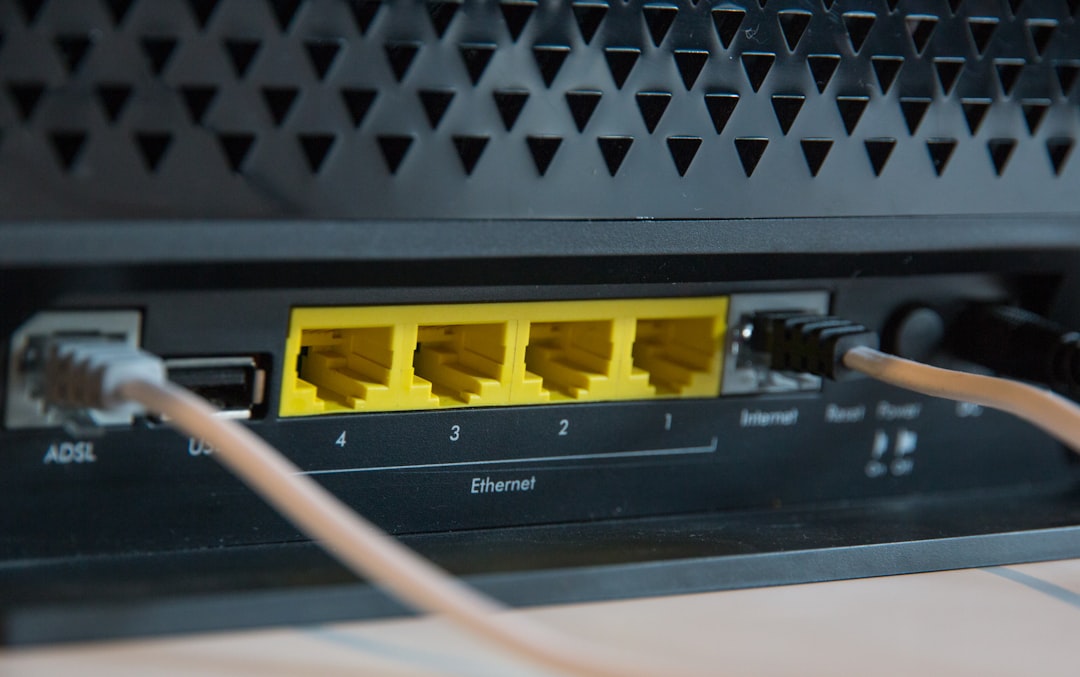
In many homes, the router and gateway are in the same box. The box from your internet provider may be a modem, router, WiFi access point, and gateway all in one. Convenient? Yes. Clear? Not really.
Honestly, it feels like networking names were designed to make normal people sigh. One box. Four jobs. Five labels. Great.
Internet Gateway vs Router: The Simple Difference
The quickest version is this:
- Gateway: connects your private network to the internet.
- Router: decides where network traffic should go.
A router can send traffic to the gateway. The gateway can send traffic to the internet. In one device, both things may happen at once.
| Feature | Internet Gateway | Router |
|---|---|---|
| Main job | Connects a private network to the internet | Sends traffic to the right place |
| Works with | Private and public networks | Local and wide networks |
| Common at home? | Yes, often inside the router box | Yes, usually the main network box |
| If it fails | No internet access | Devices may stop talking to each other |
| Cloud example | A gateway attached to a virtual network | A route table directing traffic |
A Fun Example: The Pizza Delivery Network
Let’s use pizza. Because pizza helps.
Your phone orders pizza from a website. Your router is the person in your house who says, “This request came from the phone, not the TV.” It sends the request toward the internet gateway.
The gateway opens the front door. It sends the order out to the pizza shop on the internet. When the shop replies, the gateway lets the response back in. The router then sends it to your phone.
If the router is confused, the reply may not reach your phone. If the gateway is down, the order never leaves the house. No pizza. Sad network.
Why the Two Are Often Confused
The confusion happens because one device can wear many hats. Your home WiFi router may also be the default gateway. That means your devices send internet traffic to it first.
On a laptop, you may see a setting called Default Gateway. This is usually your router’s local IP address. It may look like 192.168.1.1 or 10.0.0.1.
That gateway address tells your device where to send traffic that is not local. If your laptop wants to reach a website, it uses the default gateway.
So yes, your router can be your gateway. But the words do not mean the same thing.
How This Works at Home
In a home setup, the path is usually simple.
- Your phone connects to WiFi.
- The router gives it a private IP address.
- You open a website.
- The router sends the request to the gateway function.
- The gateway sends it to the internet.
- The reply comes back through the same path.
This happens fast. Often in milliseconds. If a website takes 7 seconds to load, the gateway is not always the villain. The site may be slow. Your DNS may be slow. Your WiFi may be weak. Or someone may be downloading a giant game update again. Classic.
How This Works in a Business
A business network may split these tasks. One device may route office traffic. Another may act as the internet gateway. A firewall may sit between them.
For example, a company with 120 employees may use:
- A core router for internal traffic.
- A firewall for security checks.
- An internet gateway for outside access.
- Switches for wired office connections.
- Access points for WiFi.
This setup gives more control. It also gives the IT team more things to fix at 8:57 a.m. on a Monday.
How This Works in the Cloud
Cloud networks use gateways too. In services like AWS, an Internet Gateway can be attached to a virtual private cloud. That allows public subnets to send and receive internet traffic.
Cloud routing still matters. A route table must point internet traffic to the gateway. If that rule is missing, servers may sit there like locked vending machines. They exist. They do nothing useful.
This is a common setup issue. A server may have a public IP address. Security rules may look fine. But if the route table does not point to the internet gateway, the server cannot reach the internet.

When Do You Need an Internet Gateway?
You need an internet gateway when private devices need internet access.
This includes:
- Homes with laptops, phones, and smart TVs.
- Offices with shared internet access.
- Cloud systems running public apps.
- Factories with connected machines.
- Schools with student and staff networks.
If a network only talks to itself, it may not need one. For example, a closed lab network can run without internet. But the moment it needs updates, email, websites, or cloud apps, it needs a gateway.
When Do You Need a Router?
You need a router when traffic must move between networks. That can mean your home network and the internet. It can also mean two office networks. Or a guest WiFi network and a staff network.
Routers keep traffic organized. They stop every device from shouting at every other device all the time. That is good. Networks get noisy fast.
A router is also useful when you want to separate traffic. For example:
- Guest WiFi for visitors.
- Staff WiFi for employees.
- Camera network for security devices.
- Server network for apps and files.
Common Problems and Quick Checks
If your internet is broken, start simple. Do not rebuild the whole network in a panic.
- Check the gateway address. Is your device using the right default gateway?
- Restart the router. Annoying, yes. Still useful.
- Check cables. A loose cable can waste 20 minutes of your life.
- Test local traffic. Can devices talk to each other?
- Test internet traffic. Can you reach a website by name?
- Check DNS. Sometimes the internet works, but names do not resolve.
If local devices can talk, but websites do not load, the gateway may be the issue. If even local devices cannot talk, the router or WiFi may be the problem.
The Easy Way to Remember It
A router is the traffic director. It points packets where they need to go.
An internet gateway is the exit door. It lets private devices reach the public internet.
In many homes, the same box does both jobs. In larger networks, the jobs may be split. Once you see that, the terms become much less annoying.
So the next time someone says, “The gateway is down,” you will know what that means. The door to the internet is stuck. And everyone inside the network is waiting to get out.