Pick proxies based on scrape success, speed, and control, not on the lowest monthly price. Web scraping fails when proxies get blocked, rotate poorly, or expose weak fingerprints. That risk is not rare: bots made up 49.6% of all internet traffic in 2023, so many sites now watch traffic closely [source: Imperva]. A serious proxy setup should reduce bans, protect sessions, and keep data collection stable.
TLDR: The seven proxy features that matter most are proxy type, IP pool quality, geo targeting, rotation control, session support, speed, and reporting. For example, a retailer tracking 20,000 product pages per day may see block rates jump from 3% to 25% if rotation is too aggressive or IPs are low quality. Good proxies cost more upfront, but they save hours of retries, failed jobs, and messy datasets. If a provider cannot show success rates, latency, and IP sourcing details, treat that as a warning sign.
1. The Right Proxy Type
Not all proxies fit scraping. Datacenter proxies are fast and cheap, but easier to detect. Residential proxies look like normal user traffic because they come from consumer internet connections. Mobile proxies often have high trust, but they are costly and can be slower.
For public pages at scale, datacenter proxies may work. For sites with strict anti-bot systems, residential or mobile IPs are often safer. The wrong type leads to bans before your scraper even reaches useful data.
2. Clean and Reliable IP Pool
A large IP pool sounds good, but size alone means little. What matters is IP reputation. If many customers abused those IPs before you, your scraper inherits that damage.
- Ask how IPs are sourced. Ethical sourcing lowers legal and operational risk.
- Check shared versus dedicated access. Shared IPs may be cheaper, but noisy users can hurt your results.
- Test ban rates. Run a controlled job before signing a long contract.
Honestly, it feels like some providers sell “millions of IPs” as if that fixes everything. It does not. A smaller clean pool can beat a huge dirty one.
3. Geo Targeting That Actually Works
Scraping often depends on location. Prices, stock levels, search results, ads, and shipping options can change by country, region, or city. Good proxy services let you pick locations with precision.
Country targeting is the minimum. State and city targeting are better for local search, travel, delivery, and retail use cases. If your scraper checks hotel prices in Paris, an IP from another region may return the wrong result.
Image not found in postmeta4. Rotation Control
Proxy rotation sounds simple. It is not. Rotate too often and your sessions look fake. Rotate too little and one IP makes too many requests.
Look for these controls:
- Per request rotation for high volume, low session work.
- Timed rotation for steady crawling.
- Manual rotation when your scraper detects blocks.
- Sticky sessions when login, cart, or multi-step actions are needed.
The catch is that poor rotation wastes time in small ways that add up. A page that loads in 1.2 seconds during testing may take 6 seconds in production after repeated retries. Multiply that by 50,000 URLs and the delay is painful.
5. Session Persistence
Many scraping tasks need continuity. Login flows, account pages, pagination, and checkout checks often require the same IP for several minutes. This is where session persistence matters.
A useful proxy provider should let you hold one IP for a set period, such as 5, 10, or 30 minutes. For some cases, you may need even longer. Without sticky sessions, your scraper may appear as a different user on every click. That breaks workflows and raises detection risk.
6. Speed, Uptime, and Real Latency
Speed claims are easy to market. Real speed is harder. Measure latency, timeout rate, and completed requests per minute. Do this against your target sites, not only against a generic speed test page.
Uptime also matters. A proxy network with 99.9% uptime sounds solid, but short outages during a nightly job can still ruin a dataset. Serious teams track retry counts and failed batches. If failures rise after switching proxy providers, the proxy layer is likely part of the problem.
For context, Google Search Central warns that excessive automated requests can affect service quality and may trigger limits or blocks [source: Google]. Respect robots.txt, rate limits, and site terms where they apply.
7. Monitoring, Logs, and Support
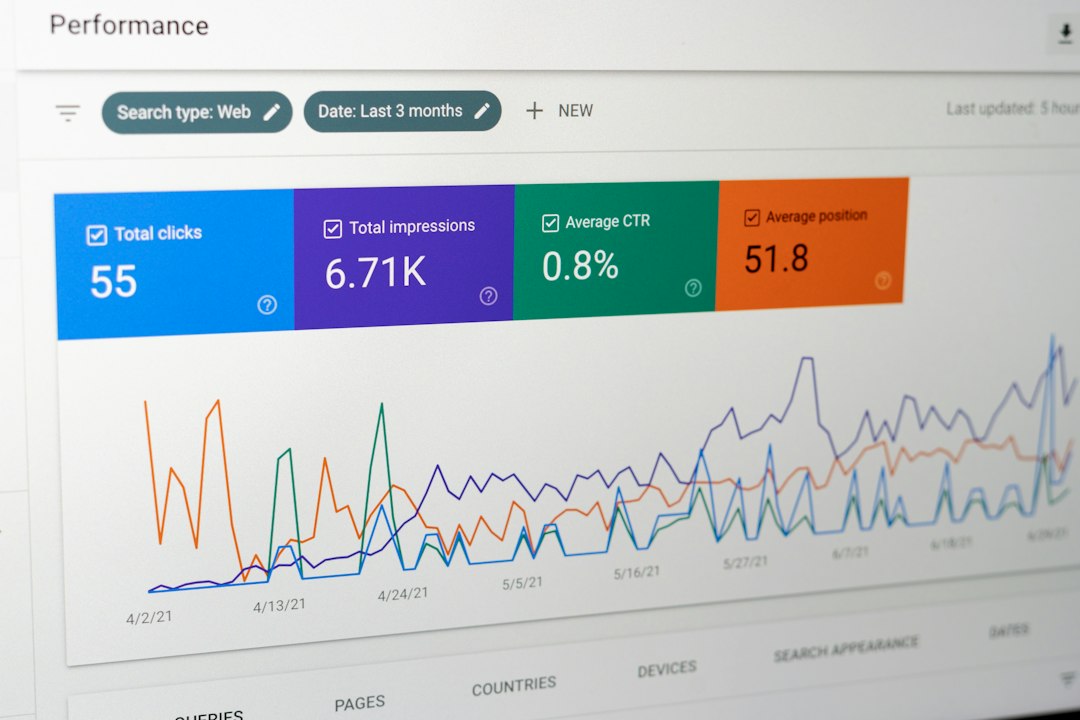
Proxy reporting is not a luxury. It is how you find waste. You need clear data on success rates, bandwidth, response codes, IP usage, and errors.
Good dashboards help answer simple questions:
- Which target is blocking most requests?
- Which country has the worst timeout rate?
- Are 403 errors rising after a scraper update?
- How much bandwidth did failed requests burn?
Support also matters. When a scraping job fails at 2 a.m., a slow ticket queue is not helpful. Look for providers with clear escalation paths, technical staff, and honest status pages.
How to Choose Without Guessing
Run a small proof of concept before buying. Use 500 to 2,000 URLs from your real workload. Track block rate, average response time, timeout rate, duplicate data, and cost per successful page.
The best proxy is not the one with the biggest pool. It is the one that returns the cleanest data with the fewest retries. For web scraping, that means stable IPs, controlled rotation, strong location options, and reporting you can trust.
Hi everyone! I recently found something worth checking out and figured I’d pass it along. Feel free to explore — full details. Curious what you all think https://udm88.net/webboard/viewtopic.php?t=53031
Your comment is awaiting moderation.