Pick the ViroScope lineup if you want one simple path from raw video to smarter clips. It helps you study video, fix weak spots, and turn footage into content people may actually watch. That matters, because 91% of businesses use video as a marketing tool [source: Wyzowl].
TLDR: ViroScope has three main tools: ViroScope Analyzer, ViroScope Creator, and ViroScope Pulse. Analyzer finds what works in your videos. Creator helps you make better edits. Pulse checks performance after posting. For example, a creator with a 10 minute product video could find that viewers drop off at minute 2, cut the slow intro, and raise watch time by 18% on the next upload.
Meet the ViroScope trio
Video work can get messy fast. You record one clip. Then you have five versions. Then the file is too large. Then the thumbnail looks sad. Honestly, it feels like video tools enjoy making simple jobs take 12 extra clicks.
ViroScope keeps the flow cleaner. The lineup is built around three jobs:
- Analyze the video.
- Create better content from it.
- Track what happens after it goes live.
That is the whole idea. No mystery. No tech fog.

1. ViroScope Analyzer: the video detective
ViroScope Analyzer is the tool you open when you want answers. Not vibes. Actual clues.
It checks how your video is built. It can point out slow parts, loud audio jumps, weak openings, and scenes that drag. It can also help spot where people may lose interest.
Think of it like a friendly coach. A slightly blunt one.
“Hey, your first 15 seconds are mostly silence and a chair squeak.”
Annoying? Yes. Useful? Also yes.
Analyzer is best for:
- YouTube videos that need tighter pacing.
- Training videos that must stay clear.
- Product demos that should get to the point fast.
- Social clips where every second counts.
It drives me crazy when a tool says “improve engagement” but gives no clue how. Analyzer does better when it gives timestamps. “Cut 0:42 to 1:08” is useful. “Make it pop” is not.
2. ViroScope Creator: the clip builder
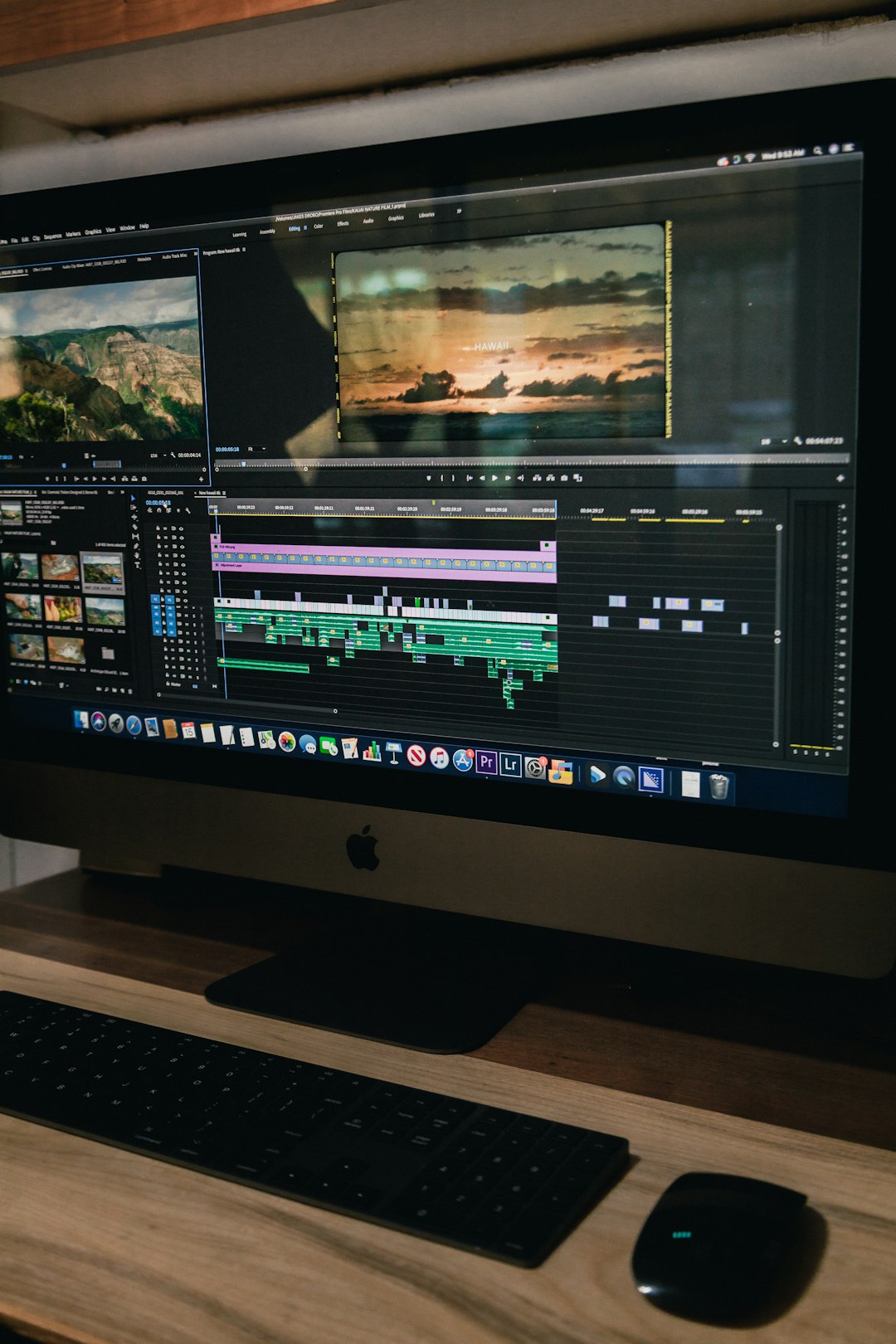
ViroScope Creator is where analysis turns into action. This is the fun part. You trim. You caption. You resize. You pull short clips from longer videos.
Creator is made for people who do not want to become editing wizards. You can build a clean short from a long video without staring at a timeline for an hour.
It may help you:
- Add captions for silent viewers.
- Cut dead air.
- Resize for vertical, square, or wide formats.
- Turn one full video into five short clips.
- Create quick title cards and end screens.
This is great for creators who publish everywhere. A podcast clip may need one shape for Shorts, another for Reels, and another for a website. Creator saves time by keeping those versions in one place.
If your source file is awkward, fix that first. For example, older AVI files can be a pain. This guide on how to convert AVI to MP4 can help before you start cutting clips.
3. ViroScope Pulse: the performance tracker
ViroScope Pulse checks how your content performs after you post it. This is where you stop guessing.
Pulse can track simple but useful numbers:
- View count
- Average watch time
- Drop off points
- Click rate
- Best posting times
The best part is the feedback loop. Analyzer says what may be wrong. Creator helps fix it. Pulse shows if the fix worked.
Here is a simple use case. A cooking creator posts a 6 minute pasta video. Pulse shows that 47% of viewers leave before the recipe steps begin. Ouch. The creator uses Creator to cut the intro from 52 seconds to 12 seconds. Next post, the early drop drops to 29%. Still not perfect. Much better.
That is the game. Small fixes. Better videos. Less yelling at your screen.
How the three tools work together
The lineup makes the most sense as a loop.
- Upload your video to Analyzer.
- Find the weak spots.
- Open Creator and make edits.
- Post the new version.
- Use Pulse to check results.
- Repeat with smarter choices.
This works for solo creators. It also works for small teams. One person can review data. Another can edit. Another can post and track.
If you make content from video chats, interviews, or live calls, clean review tools matter even more. You may want to compare how people connect on platforms like random video chat apps before shaping your own clips.
Who should use ViroScope?
ViroScope is best for people who publish often. If you make one birthday video per year, you may not need the full set. If you post weekly, it can save your sanity.
Good fits include:
- Small business owners making product videos.
- Coaches making lessons.
- Podcasters cutting short clips.
- Social media managers testing formats.
- Creators who want better watch time.
One small warning. Do not let numbers bully you. A video can have average stats and still build trust. Use the data. Do not worship it.
Image not found in postmeta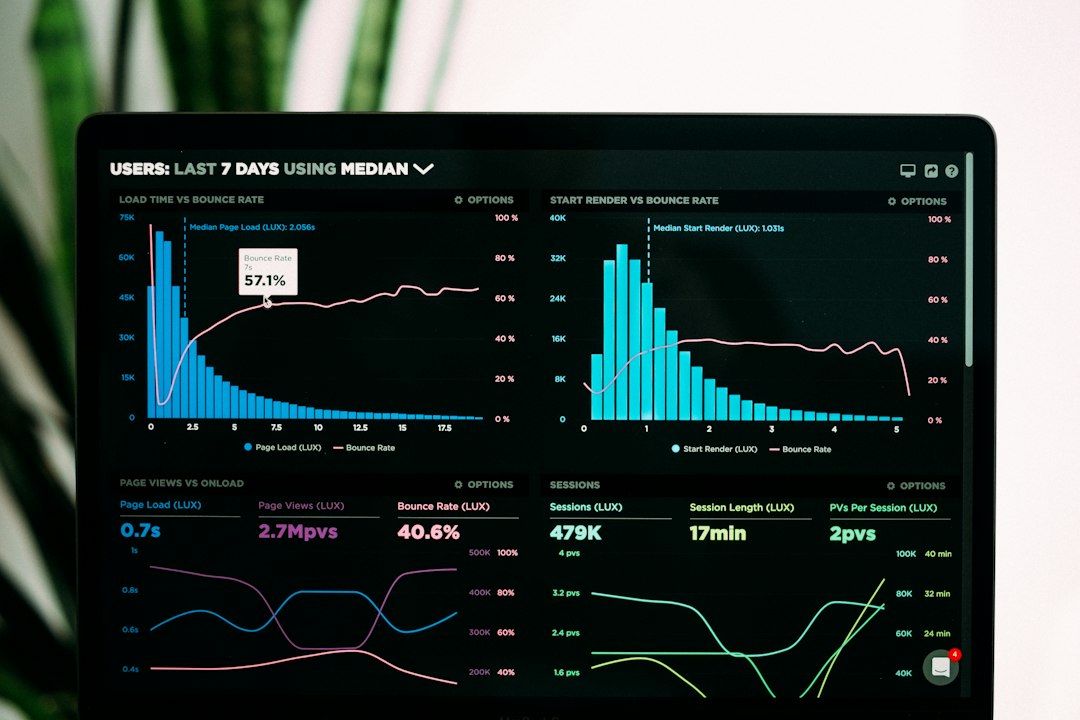
What about sharing and file size?
After editing, files can get chunky. That is normal. It is also annoying. If you need to share clips in chat or community servers, compression helps a lot. This comparison of Discord video compressor tools is useful when your file is too large to send.
ViroScope is not magic. It will not turn a boring idea into gold by itself. But it can show where the boring parts are. That is a pretty good start.
Final take: use Analyzer to find issues, Creator to fix them, and Pulse to see what improved. Simple loop. Better clips. Fewer guesses.