Figma is the better wireframing tool for most customer support teams because it supports collaboration, product context, reusable components, and handoff in one shared workspace. Balsamiq is still a strong choice when the team needs quick, rough sketches for ticket forms, help center layouts, or internal process screens without design overhead.
TLDR: Choose Figma if your support team works closely with product, design, QA, or engineering. Choose Balsamiq if you need fast low fidelity wireframes and want people to comment without worrying about visual polish. For example, a 15 person support team redesigning an escalation form could use Balsamiq to create three layout options in one hour, while Figma would be better if that same form needs approval from product, legal, and engineering with tracked comments and version history. In teams handling 5,000 tickets a month, even a 6% drop in misrouted tickets can save dozens of staff hours.
Why support teams need wireframing tools
Customer support teams often see product pain before anyone else. They hear the repeated questions. They know where users get stuck. They see which help center articles fail. That makes support a strong source of product ideas, but those ideas need structure.
A wireframe turns a vague complaint into something a product team can review. Instead of saying, “Customers cannot find the refund option,” support can show a proposed account page, help widget, or ticket form. That saves time. It also reduces the usual back and forth between support, design, and engineering.

Figma: best for support teams tied to product workflows
Figma works best when support is part of a broader product process. It is not just a wireframing tool. It is a shared design environment where teams can comment, edit, test flows, and organize product screens.
For support teams, the biggest advantage is context. A support manager can mark a problem area on a mockup. A designer can reply in the same file. A product manager can add acceptance criteria. An engineer can inspect layout details later. Everyone sees the same version, which cuts down on confusion.
Figma is useful for:
- Help center redesigns with article templates, search pages, and category screens.
- Customer portal changes such as billing pages, account settings, or refund forms.
- Chatbot and widget flows where teams need to review several states.
- Internal support tools such as admin panels, macros, routing queues, or escalation forms.
- Design system alignment when support screens must match the main product.
The commenting experience is one of Figma’s strongest points. Support agents can leave comments directly on a button, field, or error message. That matters. A comment like “Customers ask what ‘pending review’ means at least 40 times per week” is far more useful when attached to the exact screen element.
The catch is that Figma can feel heavy for simple sketches. A team that only wants to map a new contact form may spend extra time choosing frames, grids, and components. It drives me crazy that a five minute rough idea can turn into a 25 minute cleanup session if the team starts worrying about spacing too early.
Balsamiq: best for fast, rough support ideas
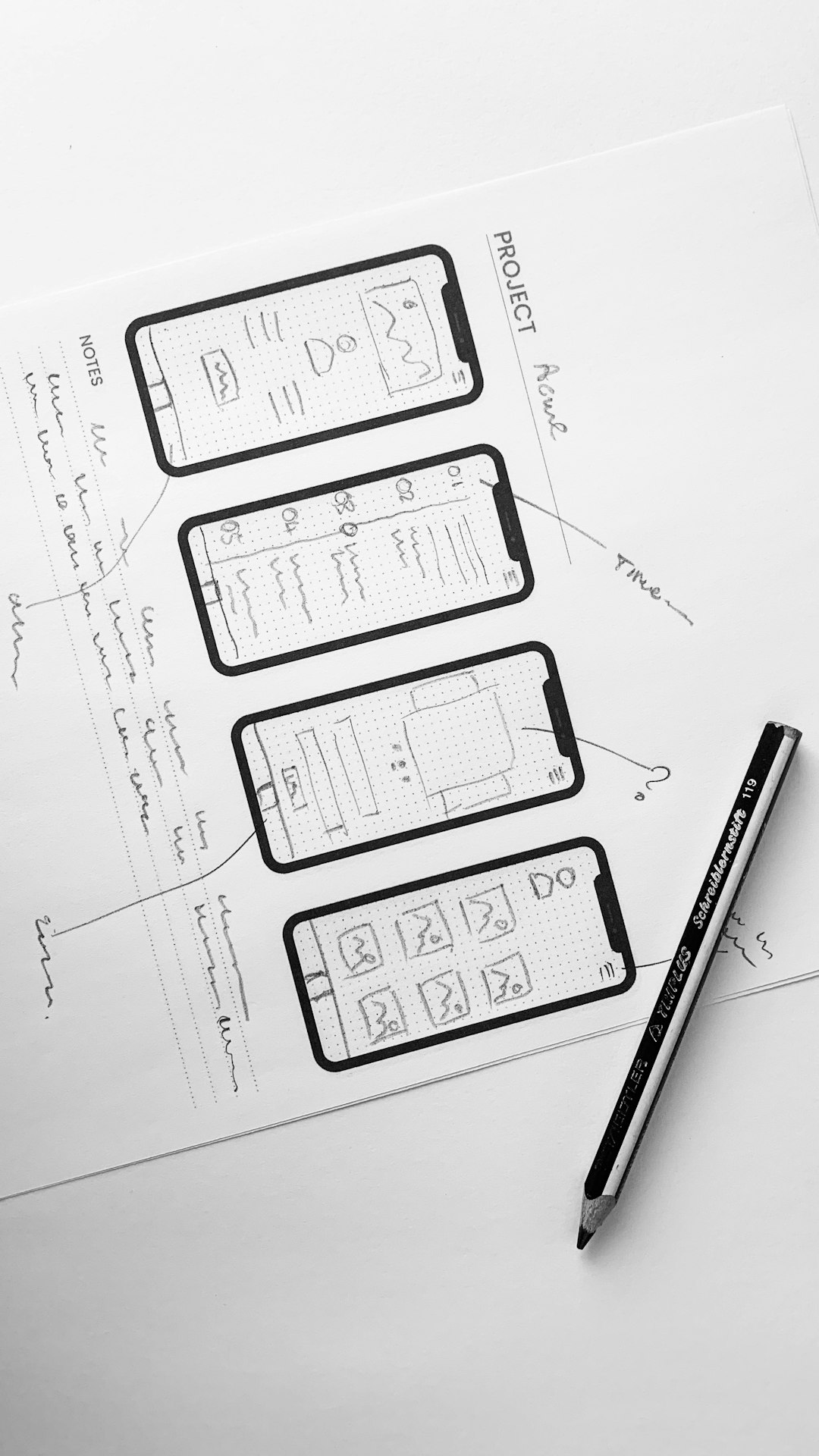
Balsamiq is excellent when speed matters more than polish. Its intentionally rough style tells everyone, “This is not final.” That is useful for support teams because early ideas can be judged on the workflow, not the visual design.
Balsamiq is especially helpful when support needs to sketch:
- A new ticket submission form with fewer fields.
- A better escalation path for high priority customers.
- An internal refund approval screen for agents.
- A help center article layout with callouts and related links.
- A chatbot script flow before it goes into a support platform.
Balsamiq keeps people from pretending the wireframe is finished design. That is a real benefit. Customer support staff may not have design training, and they should not need it to share a useful idea. The tool’s drag and drop library makes common interface parts easy to place.
The downside is scale. Balsamiq is less suited to complex product files, detailed prototypes, and long term design systems. If the same support flow needs to become a production ready screen, the work often moves into another tool. Expect to waste time on rework if your team starts in Balsamiq but always ends in Figma anyway.
Side by side comparison
| Category | Figma | Balsamiq |
|---|---|---|
| Best use | Collaborative product wireframes, prototypes, and design handoff | Fast low fidelity sketches and early support concepts |
| Learning curve | Moderate | Low |
| Collaboration | Strong real time editing and comments | Good for simple reviews |
| Prototype quality | High | Basic |
| Best for non designers | Good with templates and training | Very good from day one |
When Figma is the safer choice
Pick Figma if support needs to work with product teams every week. It is the safer choice when designs move from idea to prototype to build. It also performs better when several departments must review the same customer experience.
Figma is also better for support operations teams that manage internal tooling. If your agents use a queue dashboard, billing tool, or customer profile screen all day, small design changes can affect speed and accuracy. Figma lets teams test those changes with clickable prototypes before engineering time is spent.
For example, a support operations lead could create a prototype for a new refund panel. Agents test it with sample cases. Product reviews the logic. Engineering checks field behavior. Compliance checks required copy. That shared review is much cleaner in Figma than in a static sketch tool.
When Balsamiq is the smarter choice
Pick Balsamiq if the support team is still shaping the problem. It is ideal for workshops, quick process fixes, and early discussions. The rough visual style lowers pressure. People are more willing to critique the structure because it does not look finished.
Balsamiq is also a good fit for smaller support teams without a dedicated designer. A support lead can sketch a proposed intake form before asking product for time. That beats sending a long written request that gets misunderstood.
Use Balsamiq when the output is a conversation starter. Use Figma when the output must survive review, testing, and eventual build.
Recommended workflow for support teams
The best choice is not always one tool. Some teams benefit from using both, with clear rules.
- Start in Balsamiq for rough concepts, especially during support workshops.
- Validate the flow with agents who handle real cases every day.
- Move to Figma once product, design, or engineering need to review details.
- Add ticket data to support the idea, such as contact rate, repeat issue count, or average handle time.
- Test with users or agents before the final build decision.
This workflow keeps early thinking fast while keeping final work organized. It also gives support a stronger voice. A wireframe backed by ticket data is harder to ignore than a complaint in a meeting.
Final recommendation
For most customer support teams, Figma is the better long term choice. It supports collaboration, documentation, prototyping, and handoff in one place. It is especially useful when support works closely with product and design.
Balsamiq is better for quick ideas and early structure. It is simple, fast, and friendly to people who do not design screens every day. If your support team mainly needs rough concepts, Balsamiq may be enough.
The practical answer is simple: use Balsamiq for speed and Figma for shared execution. If you must choose one, choose Figma when wireframes become real product work. Choose Balsamiq when the goal is to explain an idea clearly and move the discussion forward.