Your rival is already spending money to win your customer. That sounds rude. But it is also useful. With smart rival keyword upsell strategies, you can turn competitor searches into better clicks, richer offers, and more PPC conversions.
TLDR: Rival keywords can bring in shoppers who already know what they want. Your job is to show why your offer is the smarter upgrade. Use clear comparison pages, strong bundles, smart retargeting, and simple value messages. Keep it legal, helpful, and focused on the customer.
What Are Rival Keywords?
Rival keywords are search terms that include your competitors’ brand names, product names, or related phrases. For example, someone may search for “Brand X alternative” or “Brand Y pricing.” That person is not browsing for fun. They are shopping with intent.
This is where PPC gets spicy. You can show an ad at the exact moment a buyer is comparing options. But do not just shout, “Pick us!” That is lazy. Instead, guide them toward a better choice. Even better, guide them toward a higher-value offer.
Quick note: Be careful with trademark rules. You can often bid on competitor terms, but using a competitor name in your ad copy may be restricted. When in doubt, ask a legal expert.
1. Build “Alternative To” Landing Pages
When people search for a rival, they often want options. So give them one.
Create landing pages built around phrases like:
- “Alternative to [Competitor]”
- “Best [Competitor] replacement”
- “[Competitor] vs other options”
But do not make the page mean or messy. Keep it clean. Focus on your strengths. Show features, pricing, support, speed, and results.
Then add your upsell. For example, if your standard plan is good, show why your premium plan is better for switching customers. Say something like, “Moving from another provider? Start with our Pro plan for faster setup and priority support.”
This works because switchers need comfort. They want less risk. A premium plan can feel like a safety net.
2. Use Comparison Tables That Sell the Upgrade
People love tables. Tables feel simple. Tables feel honest. And in PPC, simple wins.
Create a comparison table that shows your basic plan, your premium plan, and the rival’s general offer. Keep it fair. Do not invent claims. Show clear proof where possible.
Your table can compare:
- Setup time
- Support options
- Included features
- Monthly cost
- Contract terms
- Integrations
Now comes the upsell trick. Put your best-value plan in the middle or highlight it with a badge. Use labels like “Best for growing teams” or “Most popular for switchers.”
Do not push too hard. Just make the better option easy to understand. If the upgrade saves time, say that. If it includes support, say that. If it prevents headaches, say that twice.
3. Match Rival Intent With Better Offers
Not all competitor searches mean the same thing. Some people want pricing. Some want reviews. Some want a discount. Some are angry and ready to escape.
Group your rival keywords by intent.
- Price intent: “Competitor pricing,” “Competitor cost”
- Review intent: “Competitor reviews,” “Competitor complaints”
- Switching intent: “Competitor alternative,” “replace Competitor”
- Feature intent: “Competitor feature comparison”
Then match each group with a different upsell message.
For price searches, offer a premium plan with a free trial or first-month discount. For review searches, promote a plan with strong support. For switching searches, offer onboarding help. For feature searches, promote your advanced plan.
This is not magic. It is manners. You answer the question the searcher already has.

4. Create “Switch and Save More” Campaigns
People hate switching. It sounds like paperwork. It sounds like passwords. It sounds like a Tuesday nobody asked for.
So make switching feel easy.
Run ads that focus on a simple switch offer. For example:
- Free migration with annual plans
- Concierge setup for premium users
- Bonus credits when users leave a rival
- Extended trial for teams switching tools
This turns the upsell into a reward. The customer is not paying more for no reason. They are getting help, speed, and peace of mind.
Your landing page should repeat the same idea: “Switch today. We handle the hard part.”
That line is friendly. It lowers stress. It makes the premium offer feel useful, not pushy.
5. Retarget Rival Keyword Visitors With Upgrade Ads
Most people do not buy on the first click. They click. They read. They get distracted. They leave. Maybe a sandwich happens.
That is why retargeting matters.
Create a remarketing audience for people who visited your rival comparison pages. Then show them ads that focus on the next step.
Good retargeting messages include:
- “Still comparing? See why teams choose our Pro plan.”
- “Get expert setup when you switch this week.”
- “Try the premium plan before you decide.”
Do not show the same ad forever. That gets creepy. Use frequency caps. Change the message after a few days. Start with education. Then show proof. Then show a limited-time offer.
The goal is simple. Keep your brand in the conversation while the buyer decides.
6. Use Proof That Makes the Upsell Feel Safe
A rival keyword click often comes with doubt. The shopper may think, “Is this company better?” or “Will I regret switching?”
Proof helps. Use it near your upsell offer.
Add proof like:
- Short customer quotes
- Star ratings
- Case study numbers
- Trust badges
- Security notes
- Support response times
Show proof that supports the higher plan. If your premium plan includes priority support, add a quote about great support. If it includes better reporting, show a mini case study about better decisions.
Keep proof short. Nobody wants to read a novel before clicking a button. Use one strong line and one clear result.
Example: “We switched in two days and cut reporting time by 40%.”
That is easy to understand. It also makes the upgrade feel smart.
7. Test Upsell CTAs Like a PPC Scientist
Your call to action does heavy lifting. Treat it with respect. Also, test it like it owes you money.
Do not only use boring buttons like “Submit”. Try CTAs that connect to rival intent and the upsell.
Test buttons such as:
- “Compare Plans”
- “Start Premium Trial”
- “Switch With Free Setup”
- “See the Better Fit”
- “Get My Upgrade Offer”
Also test where the upsell appears. Try it above the fold. Try it after the comparison table. Try it near customer proof. Small changes can create big wins.
Track more than clicks. Watch conversion rate, cost per conversion, trial-to-paid rate, and average order value. A campaign with fewer conversions may still win if it brings higher-value customers.
Final Tips for Better Rival Keyword Upsells
Keep your message friendly. Do not attack competitors. Buyers can smell drama. Instead, be useful. Show the difference. Show the value. Show the easy next step.
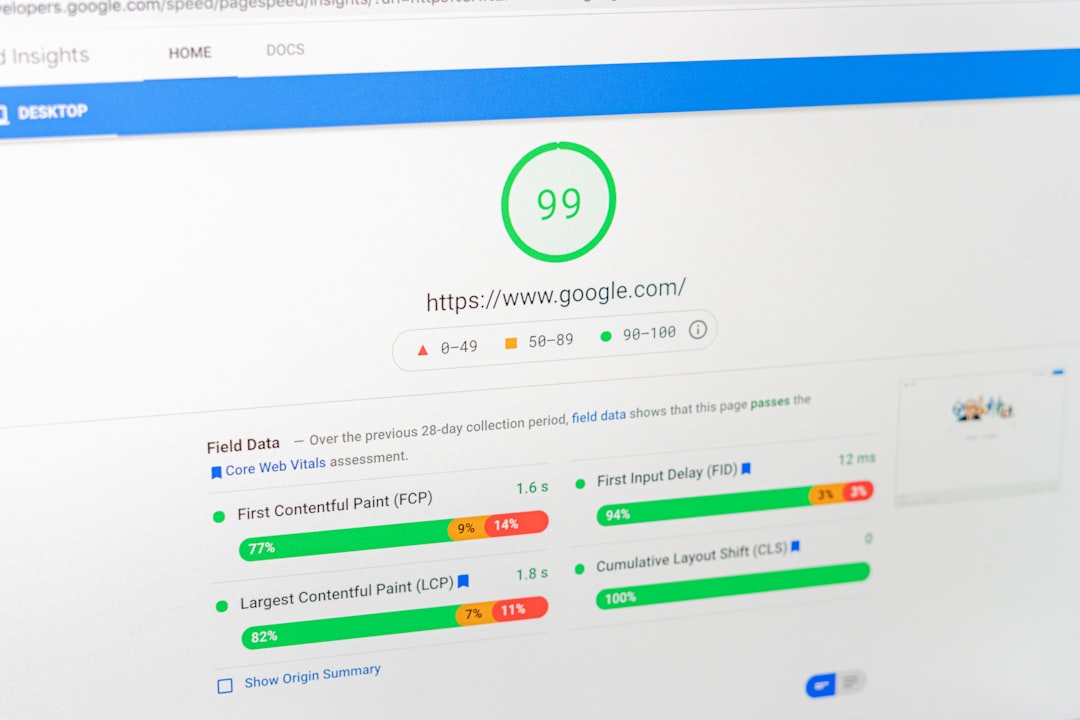
Also, make sure your page loads fast. A slow landing page is like a locked store door. People leave. Your best upsell will not matter if nobody sees it.
Here is the simple formula:
- Find rival keywords with buying intent.
- Send traffic to a clear comparison page.
- Match the offer to the searcher’s problem.
- Use proof to reduce fear.
- Make the upgrade feel helpful.
- Retarget visitors with fresh messages.
- Test everything.
Rival keyword PPC is not about stealing customers. It is about showing up when customers are already looking around. If your offer is clearer, easier, and more valuable, you have a real shot. Add a smart upsell, and that shot can become a bigger sale.