An outbound AI voice agent is software that calls people, speaks with them by voice, understands their answers, and completes a defined business task without a human agent on every call. It can confirm appointments, qualify sales leads, collect feedback, remind patients, or recover failed payments, while routing sensitive or complex cases to a person.
TLDR: An outbound AI voice agent runs phone campaigns using speech recognition, natural language processing, text to speech, and business rules. For example, a dental clinic could call 1,000 patients about overdue checkups, book 180 appointments, and send 70 difficult calls to staff for follow up. A well configured system can reduce routine calling time by 40% to 70%, but only if it uses clean data, clear consent, and strict handoff rules. It is not a magic caller; it is a controlled workflow with a voice interface.
What an outbound AI voice agent actually does
An outbound AI voice agent places calls to a selected list of contacts. When someone answers, it introduces itself, states the reason for the call, and listens for a response. It can ask questions, interpret intent, confirm details, and update records in connected systems.
The word agent can be misleading. This is not a free thinking employee. It is a voice system trained and configured to complete narrow tasks. The best use cases are clear, repeatable, and easy to measure.
- Appointment reminders: confirming, rescheduling, or cancelling visits.
- Lead qualification: asking budget, timing, need, and location questions.
- Customer surveys: collecting satisfaction scores and comments.
- Payment reminders: notifying customers about overdue balances.
- Delivery updates: confirming availability or address details.
- Recruiting calls: screening candidates for basic fit.
How it works behind the scenes
An outbound AI voice agent combines several systems into one call flow. Each part has a job, and delays in any part can make the conversation feel awkward. Honestly, it feels like a broken call when the agent waits two or three extra seconds before answering a simple “yes.” Good systems keep that delay low.
- Contact data is loaded. The system receives a list of phone numbers, names, account details, and campaign rules. This data may come from a CRM, scheduling tool, billing platform, or help desk.
- The call is placed. A telephony provider dials the number. The system tracks whether the call is answered, missed, rejected, or sent to voicemail.
- The agent speaks. Text to speech converts written prompts into spoken audio. Better agents use natural pacing, short sentences, and clear disclosure that the caller is automated.
- The person responds. Automatic speech recognition turns the spoken reply into text. The system must handle accents, background noise, interruptions, and short answers.
- The AI interprets intent. Natural language processing identifies what the person means. For example, “I can do Friday after lunch” may mean the person wants an appointment on Friday afternoon.
- Business rules apply. The agent checks availability, eligibility, consent, call limits, and escalation rules before taking action.
- The system updates records. It may book an appointment, mark a lead as qualified, create a ticket, send a text message, or schedule a human callback.
What makes a good outbound AI voice agent
A serious outbound AI voice agent is not judged by how human it sounds. It is judged by accuracy, safety, speed, and results. A pleasant voice helps, but it does not matter if the system books the wrong time or ignores a request to stop calling.
Strong systems usually include:
- Clear call scripts: The agent should open with identity, purpose, and a simple question.
- Consent controls: The system must respect opt outs, call windows, and do not call lists.
- Human handoff: The agent should transfer or assign calls when confusion, anger, risk, or regulated topics appear.
- CRM integration: Call outcomes should appear in the record without manual copying.
- Call summaries: Staff should see what happened in plain language.
- Audit logs: Managers need records of when calls occurred, what was said, and what action was taken.
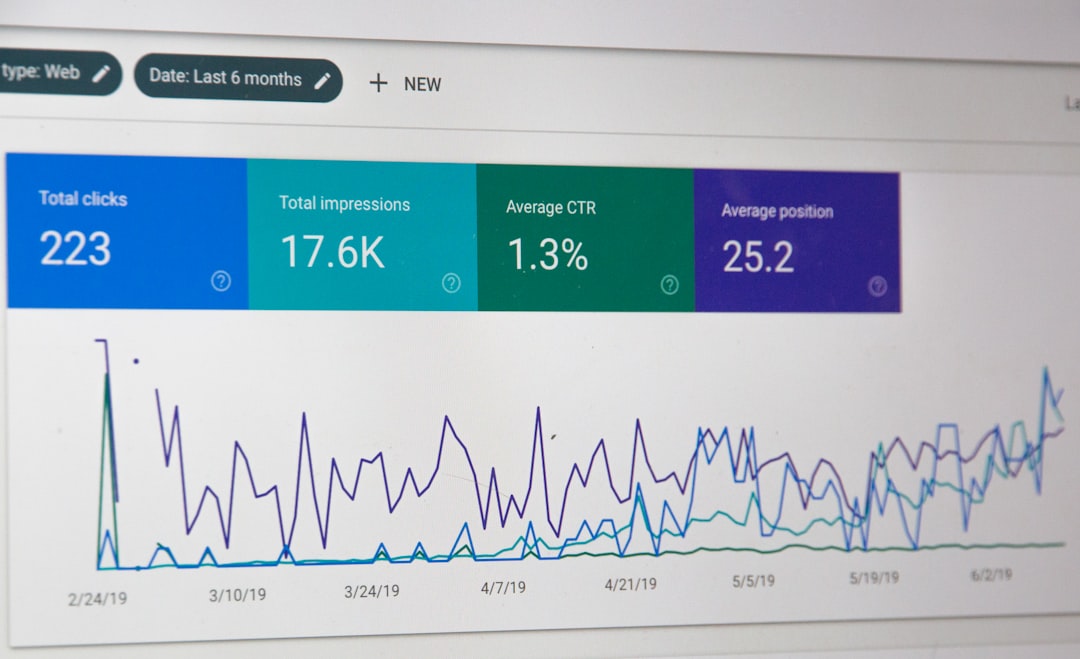
- Performance reporting: Answer rate, conversion rate, opt out rate, average duration, and escalation rate should be tracked.
A practical user case scenario
Consider a home services company with 12 technicians. It has 4,500 past customers and wants to schedule seasonal HVAC maintenance. A human team can call about 300 people per day, but that pulls staff away from billing and customer support.
The company uses an outbound AI voice agent to call customers Monday through Thursday between 10 a.m. and 6 p.m. The agent says who is calling, explains the service reminder, offers two appointment windows, and confirms the address. If the customer asks about pricing beyond the approved script, the agent routes the call to a coordinator.
After two weeks, the campaign produces:
- 4,500 numbers dialed.
- 2,160 answered calls.
- 740 appointments booked.
- 290 human follow ups created.
- 3.8% opt out rate.
- 52% reduction in manual calling hours.
Those numbers are realistic only when the contact list is clean. Expect to waste time on bad records if phone numbers are old, names are missing, or consent status is unclear. The AI cannot fix a messy database by sounding polite.
Where outbound AI voice agents help most
They work best when the call has a narrow goal. The person being called should understand the reason quickly. The agent should not force a long conversation.
Good fits include confirmations, reminders, renewals, simple surveys, and first stage lead screening. Weak fits include emotional complaints, legal questions, medical advice, complex negotiations, and high value sales where trust depends on a personal relationship.
For sales teams, an outbound AI voice agent can filter interest before people spend time on calls. For healthcare offices, it can reduce no shows. For logistics teams, it can confirm delivery windows. For finance teams, it can remind customers about payments while keeping call language approved and consistent.
Risks and compliance concerns
Outbound calling is sensitive. People do not like surprise calls, and regulators pay attention to misuse. Any organization using AI voice calls should work with legal or compliance experts before launch.
Key areas include phone consent, jurisdiction rules, call recording laws, identification requirements, opt out handling, data privacy, and limits on automated calls. In the United States, laws such as the TCPA may apply. Other countries have their own telemarketing, privacy, and electronic communications rules.
The agent should disclose that it is automated when required or when it is the fair thing to do. It should also provide an easy way to stop future calls. If the person says “do not call me again,” the system should treat that as a serious instruction, not as a phrase to argue with.

How to evaluate a vendor or platform
Before choosing a system, ask for proof. Do not rely on polished demos only. Test real call conditions, including background noise, interruptions, voicemail, accents, and impatient customers.
- Latency: How fast does it respond after a person stops speaking?
- Accuracy: How often does it misunderstand names, dates, and numbers?
- Controls: Can you set call hours, retries, scripts, and escalation rules?
- Integrations: Does it connect with your CRM, calendar, dialer, or billing system?
- Security: Is data encrypted and access controlled?
- Reporting: Can managers review outcomes without listening to every call?
- Fallbacks: What happens when the agent is unsure?
The bottom line
An outbound AI voice agent is best seen as a disciplined calling assistant. It handles repetitive conversations at scale, records outcomes, and passes exceptions to humans. The value comes from tight scope, clean data, compliance controls, and careful monitoring. Used well, it can save hours every week and improve follow up. Used carelessly, it can annoy customers faster than any human caller ever could.